See where your work stands while Claude writes the code.
Sprig is a Mac app for people building with Claude Code. It shows what's being edited, what's saved and what's safely on GitHub, in plain words. And it tells you the moment Claude needs you.
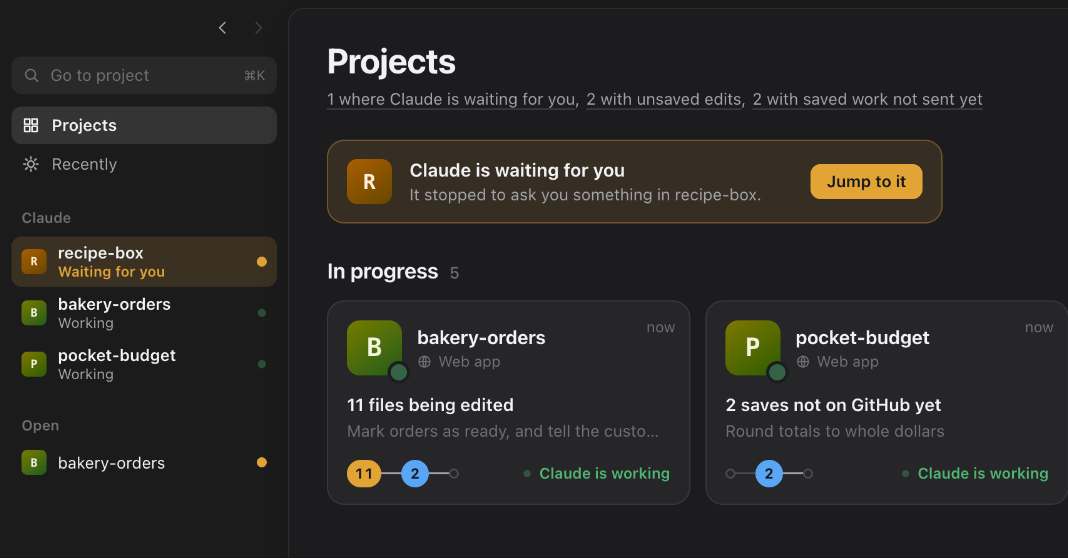
Run Claude in a few projects at once and it's easy to miss the one that stopped to ask a question. Sprig connects to Claude Code, so it knows the instant a session starts, finishes or needs an answer. The project that's waiting moves to the top and says so, and Jump to it brings that session's terminal tab to the front.
One project is waiting on an answer. Two more are still being worked on, so Sprig leaves their files alone.
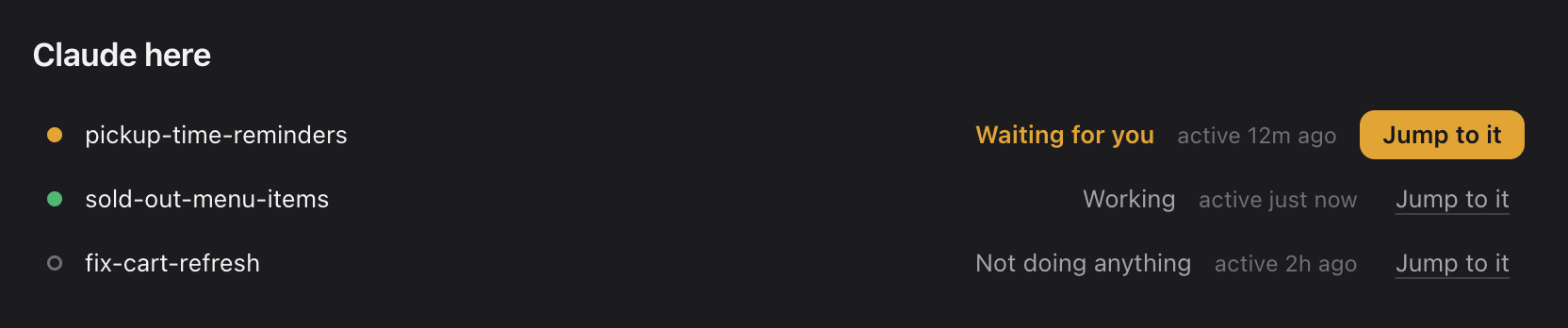
Every session, by name.
Each project lists the Claude sessions open in it, with the name Claude gave the work, what it's doing right now, and when it was last active. Lost track of which tab was which? Pick the one you want and go straight there.
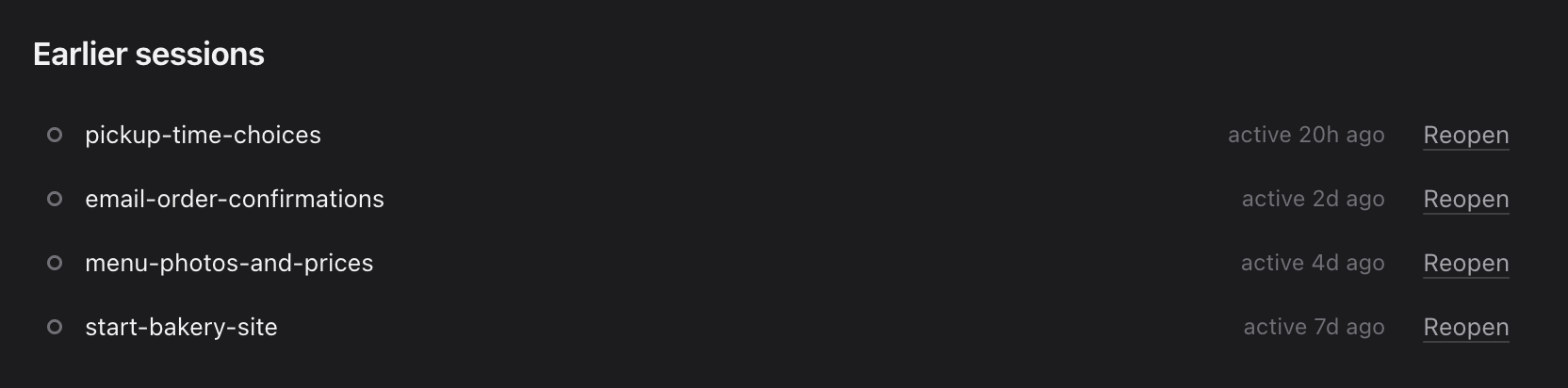
Pick up an earlier one.
Closed the tab last week? Every Claude session that has worked in a project stays listed, by name. Reopen one and the conversation carries on where it stopped.
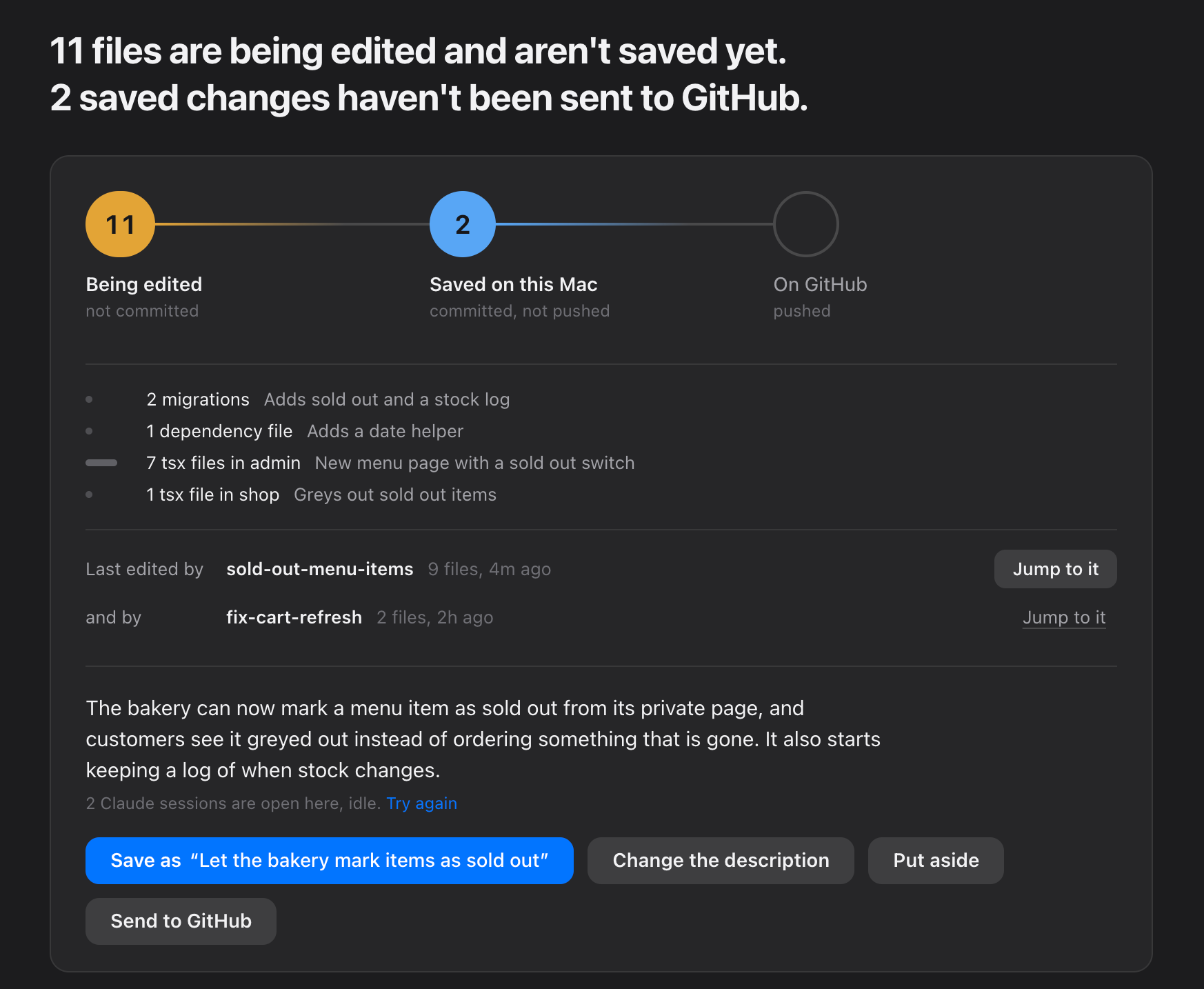
Know what changed without reading the code.
Sprig counts what kind of files are changing and where, so you can see there are database migrations in the pile, or that most of it is admin screens. Claude adds a sentence on what the edits do and a name for the save. One click saves it. Sprig also says which Claude session made the edits and when, so you can go straight back to it if something needs another look.
It notices the project you forgot to save.
Start something new with Claude and it's easy to be three days in before realising nothing is being kept. There's no history and no backup, so one bad command and it's gone. Sprig spots a project like that and says so. One click hands Claude the job of setting it up properly, leaving out the things that shouldn't be saved.
Git, minus the vocabulary.
Plain words
Save, send to GitHub, catch up, put aside. The git term is there on hover if you want it.
A feel for size
Every save gets a small bar that's longer for bigger changes. No line counts to squint at.
Side projects
Try something off to the side without touching your main work, then finish it or tidy it away.
A prompt when it's Claude's job
Anything that needs judgment, like joining two lines of work, comes with a prompt you can hand straight to Claude.
Hands off while Claude works
Sprig won't touch a project's files while a session is writing to them.
Your terminal, your choice
Hand-offs and reopened sessions open in the terminal you pick, with Settings where you'd expect them, under ⌘,.
Keeps itself current
New versions arrive quietly. Restart when it suits you.
Try it on your own projects.
Sprig runs on your Mac and reads your projects where they are. Everything Claude does in Sprig runs through the Claude Code you already have, so there's no API key to set up.
 Sprig
Download